Asset Audit Season 2026: How Map & Floor-Plan Location Tracking Ends the “Where Is It?” Hunt

2026-08-15
tony

“That laptop — which floor, whose desk, right now?” 🤔 Every audit season, do you comb through entire buildings and branches just to answer that one question? The asset is right there in your spreadsheet, but nobody knows where the physical unit actually is — so half of every inventory disappears into hunting for things.

Year-end close and asset-audit season are coming. And for companies with assets scattered across multiple branches, warehouses, stores, and data centers, the physical inventory is a massive, recurring headache. Your ledger (usually a spreadsheet) knows the count, but not the “where, who, and what condition.”

With its latest update, SELLEASE tackles this head-on with new physical-asset location tracking — Map & Floor Plan features, plus role-based list filters. It’s time to stop searching for assets and start seeing them.

SELLEASE Asset Management System

1. 📍 The Real Bottleneck Isn’t Quantity — It’s Location

Most companies track asset quantity well enough in a spreadsheet. The problem is location.

  • When a user changes seats or switches teams, the ledger and reality drift apart.
  • With 10 branches, someone has to physically visit all 10 to reconcile records against reality.
  • Non-networked assets like monitors, docks, and chairs can’t be checked remotely at all.

So most of the audit is spent simply finding things. Get the location data right, and inventory time collapses.

2. 🗺️ See Every Site’s Assets at a Glance — on a Map

SELLEASE’s Asset Map is built for companies with many sites and buildings.
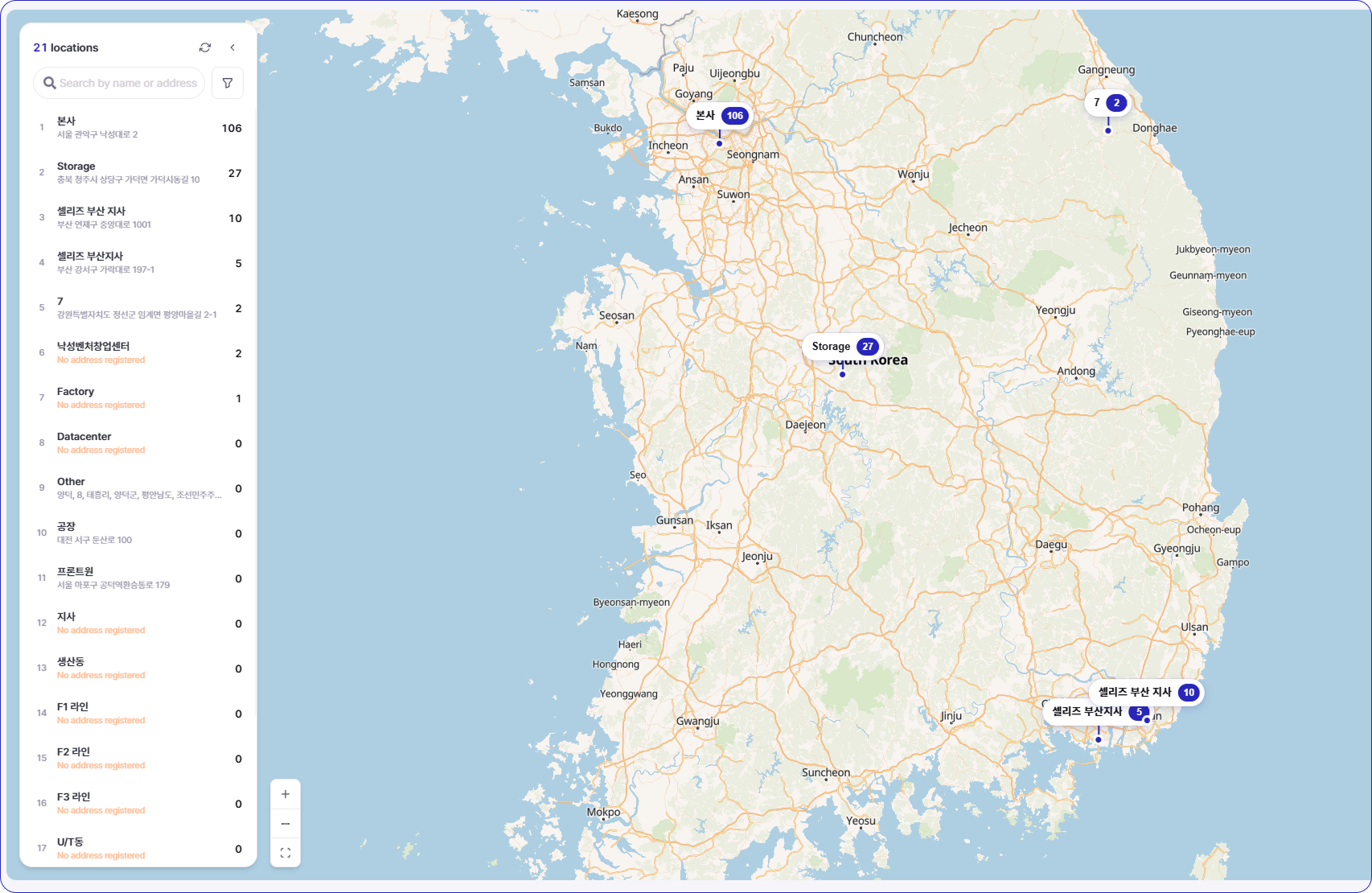
  • View every location directly on a map, and drill into per-site asset status and detail with a single click.
  • Live markers show things like “Pangyo HQ: X assets, Y% audited, Z anomalies.”
  • Instantly see which site is falling behind and where assets are concentrated — all on one screen.

Asset Map

No more collecting a dozen departmental spreadsheets just to understand your footprint.

3. 🏷️ One QR Scan = Location Logged Automatically via GPS

Here’s the game-changer. During a physical audit or a routine check, the moment you scan an asset’s QR code, SELLEASE reads your smartphone’s GPS and records the asset’s location automatically.
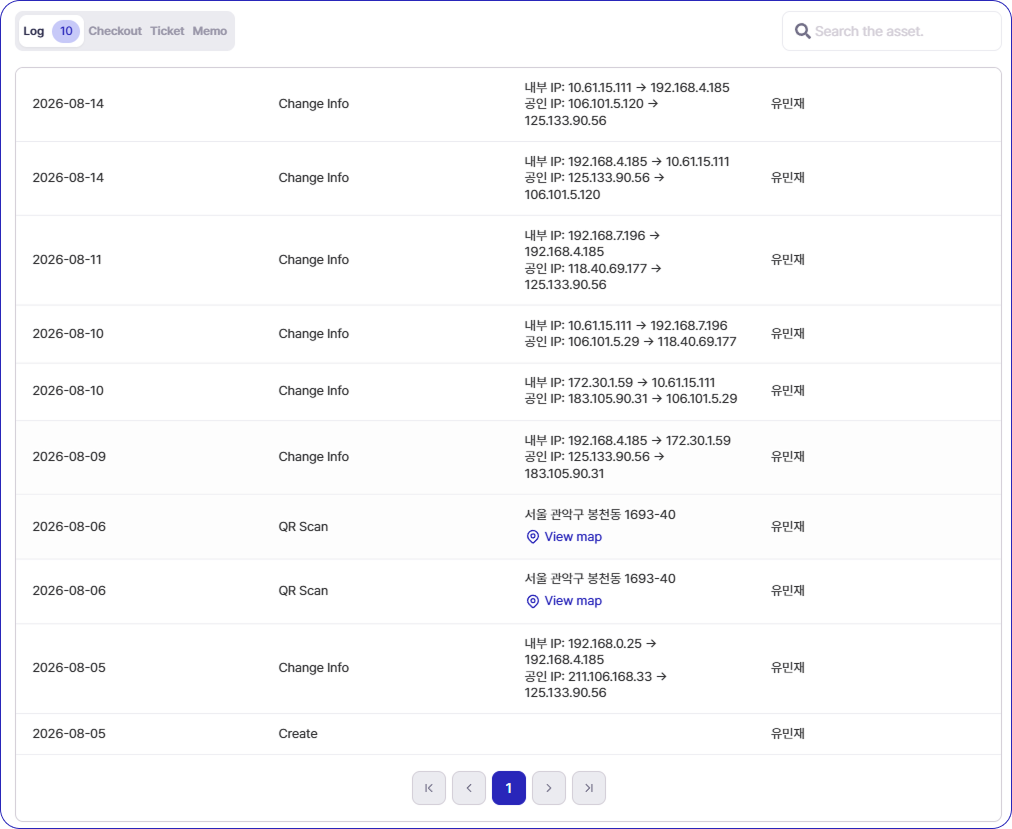
  • The auditor just scans the QR tag, and who / when / where is written to the activity log — complete with the location (address).
  • No need to manually type “this asset is over here.” The act of auditing itself updates the location.
  • Movement history (internal/public IP changes, location changes, and more) is tracked too, preserving a timeline of when it moved and where.

QR Scan = Location Logged Automatically via GPS

In other words, run one physical sweep and it accumulates as living location data. Your next audit gets dramatically lighter.

4. 🧭 Place Assets on a Floor Plan — Pinpoint Down to the Desk

If the map handles “which site,” the Floor Plan owns “inside the building.”
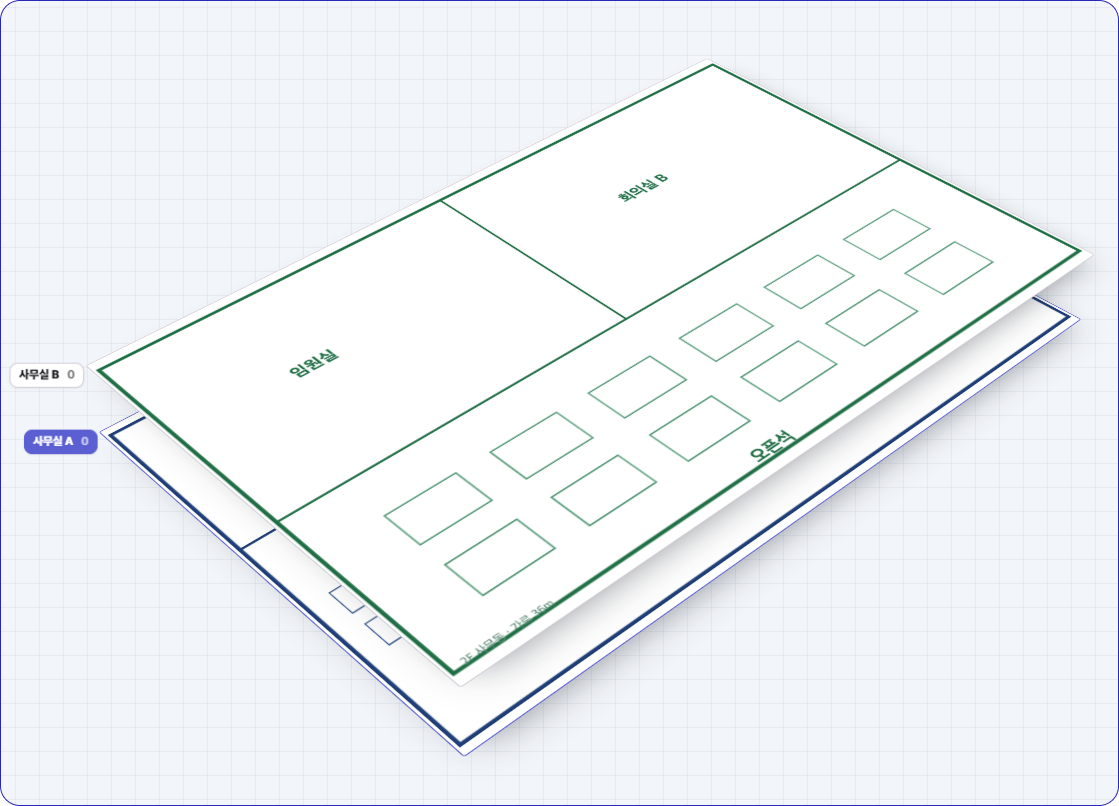
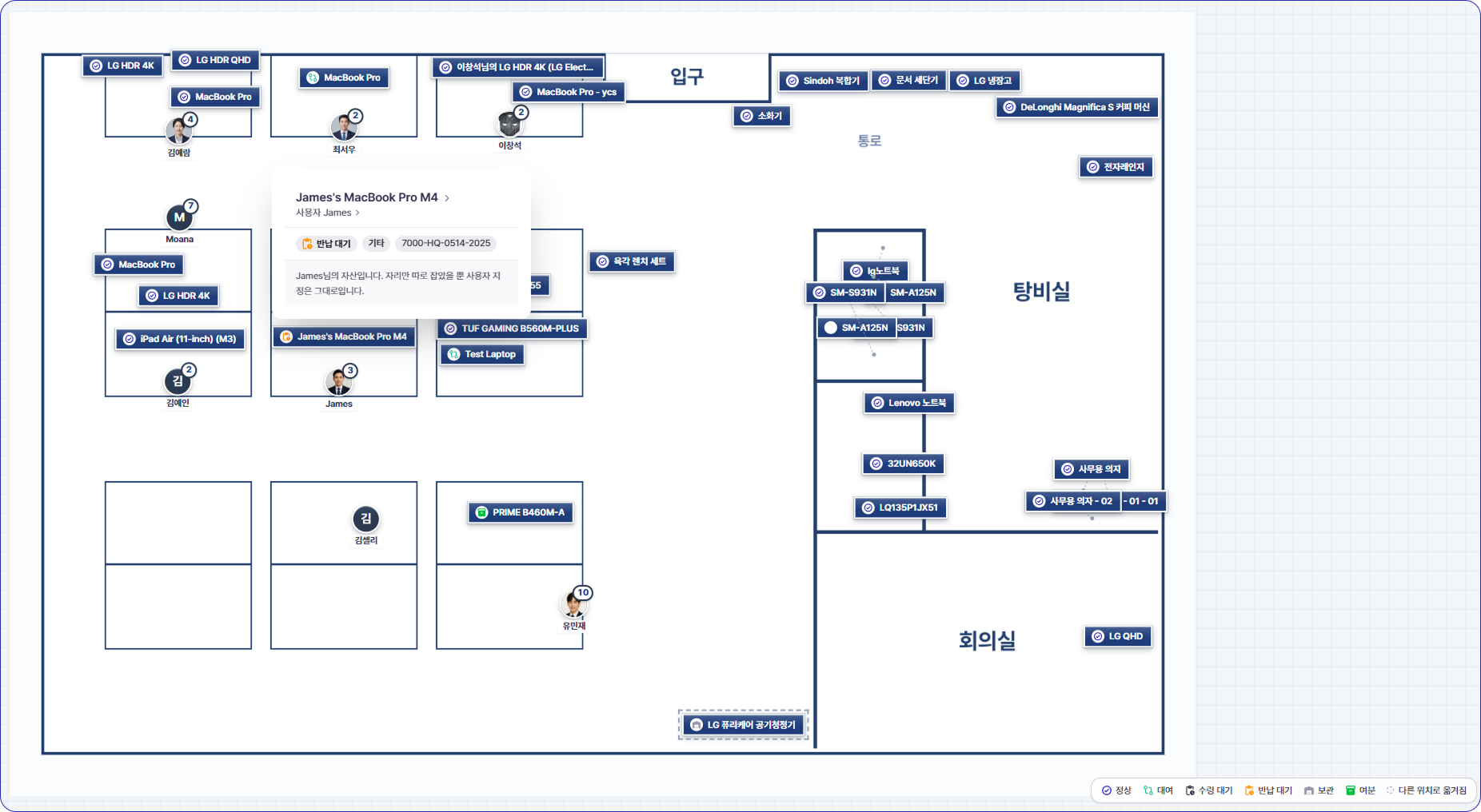
  • Register multiple floor plans per location, by floor (e.g., HQ 1F, 2F, Data Center B1).
  • Place assets right on the plan, and instantly see which asset sits at which desk, meeting room, or zone — all visible on the floor plan.
  • Click an asset to reveal user, status, and asset code on the spot — “Kim’s desktop, window seat on 2F, Normal.”
  • User avatars and status colors (Normal, Leased, Awaiting pickup, Awaiting return, Stored, Spare) sit right on the plan, so onboarding seat assignments and idle-asset recovery become a visual decision.

Multiple floor plans per location, by floo

Pinpoint Down to the Desk

No more “somewhere on the 3rd floor.” Now it’s “the second desk next to the 3F meeting room.”

5. 🧩 One Dataset, Every Team’s Own View — Role-Based List Filters

Different departments want to see different things about the same asset:

  • IT wants specs, user, serial, and status.
  • Accounting wants acquisition cost, depreciation, and fixed-asset code.
  • General Affairs wants quantity, purchasing, and supplies status.

The new asset list filter lets each role view one shared dataset through their own chosen list and data columns.
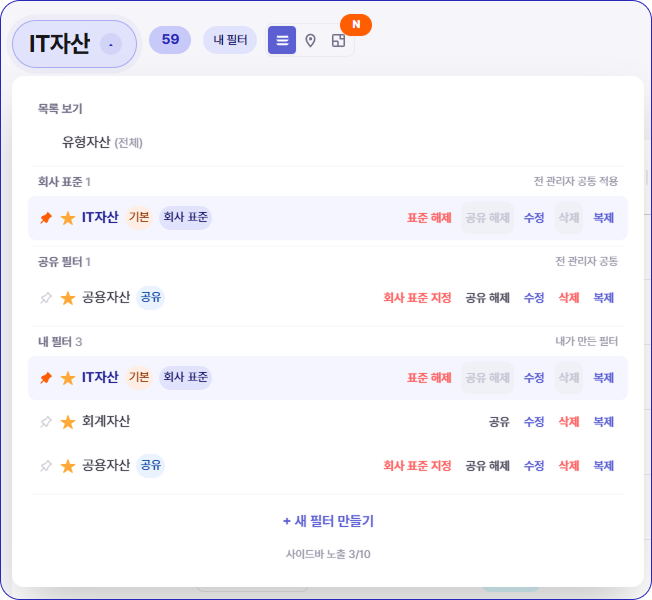
  • Pick only the columns each department needs and save a personal view.
  • Everyone reads the same ledger, but IT sees it through an IT lens and Accounting through an accounting lens.
  • The triple bookkeeping of separate departmental spreadsheets disappears: one dataset, many views.

Asset List Filter

This is the most practical way to break down the IT / General Affairs / Accounting silo.
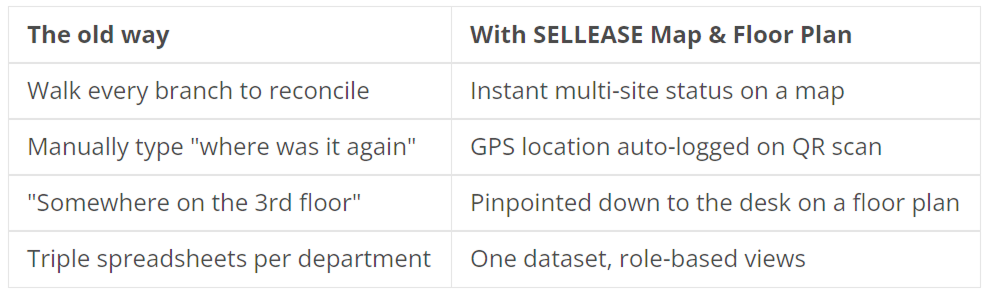
6. ✨ The Shift — Stop Searching, Start Seeing

The old way VS With SELLEASE Map & Floor Plan

Asset audits are no longer “labor that ransacks the whole building.” The moment location becomes data, the audit turns into a simple confirmation task.

🌱 Start This Year’s Audit with SELLEASE

The more sites and assets you have, the bigger the payoff from map & floor-plan location tracking. SELLEASE scales from a plan for small teams, to a Business plan with fixed-asset depreciation and alerts, to an Enterprise plan with unlimited assets and full security controls.

Turn this year’s audit from a hunt into a view.

Curious about services?