
"This laptop — whose desk is it on right now?" 🤔 That one question is what exhausts asset managers most during every physical inventory season. The ledger (usually a spreadsheet) has the right quantity, but almost nobody can say for certain where an asset actually is, who's using it, or what condition it's in.
Year-end close, external audits, and the regular departmental fixed-asset physical inventory season are approaching. For any company with assets spread across branches, warehouses, stores, and data centers, this recurring sweep is a massive headache — and with IFRS 18 arriving in 2027, the pressure for accurate, traceable asset data is only getting bigger.
With its September update, SELLEASE added a set of features built to make physical inventory itself lighter: a dedicated audit dashboard, AI-registration duplicate handling, and a full asset hand-over process. Here's exactly how SELLEASE is changing fixed-asset physical inventory this season.
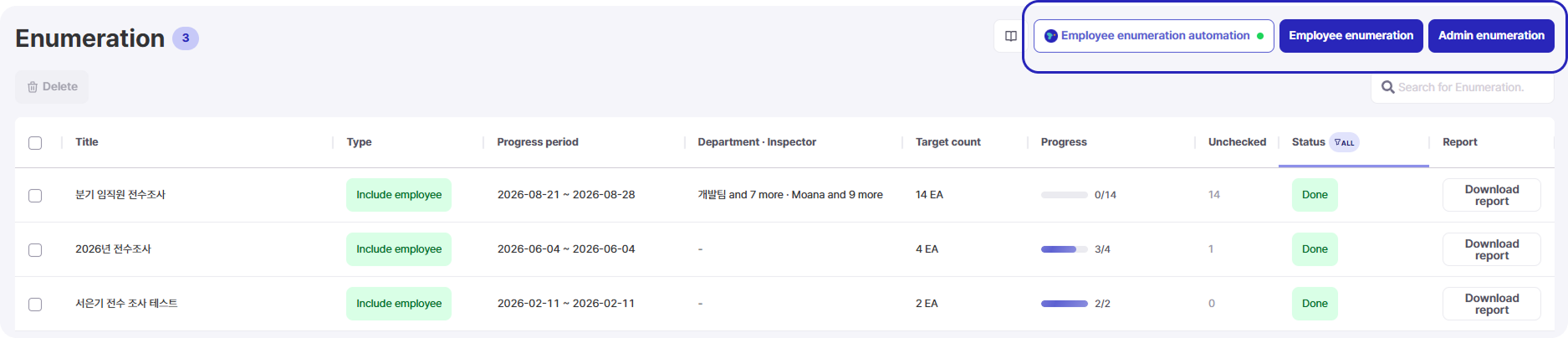
(Screenshot: SELLEASE audit launch screen — Employee Audit automation / Admin Audit options)
1. 📋 The Real Reason Every Audit Runs Late
Most companies track asset quantity reasonably well in a spreadsheet. The real problem is location and condition.
So most of the audit time is spent simply finding things. Fix the location data, and audit time collapses.
2. 🤖 AI Registration: Skip Re-Registering, Just Reassign
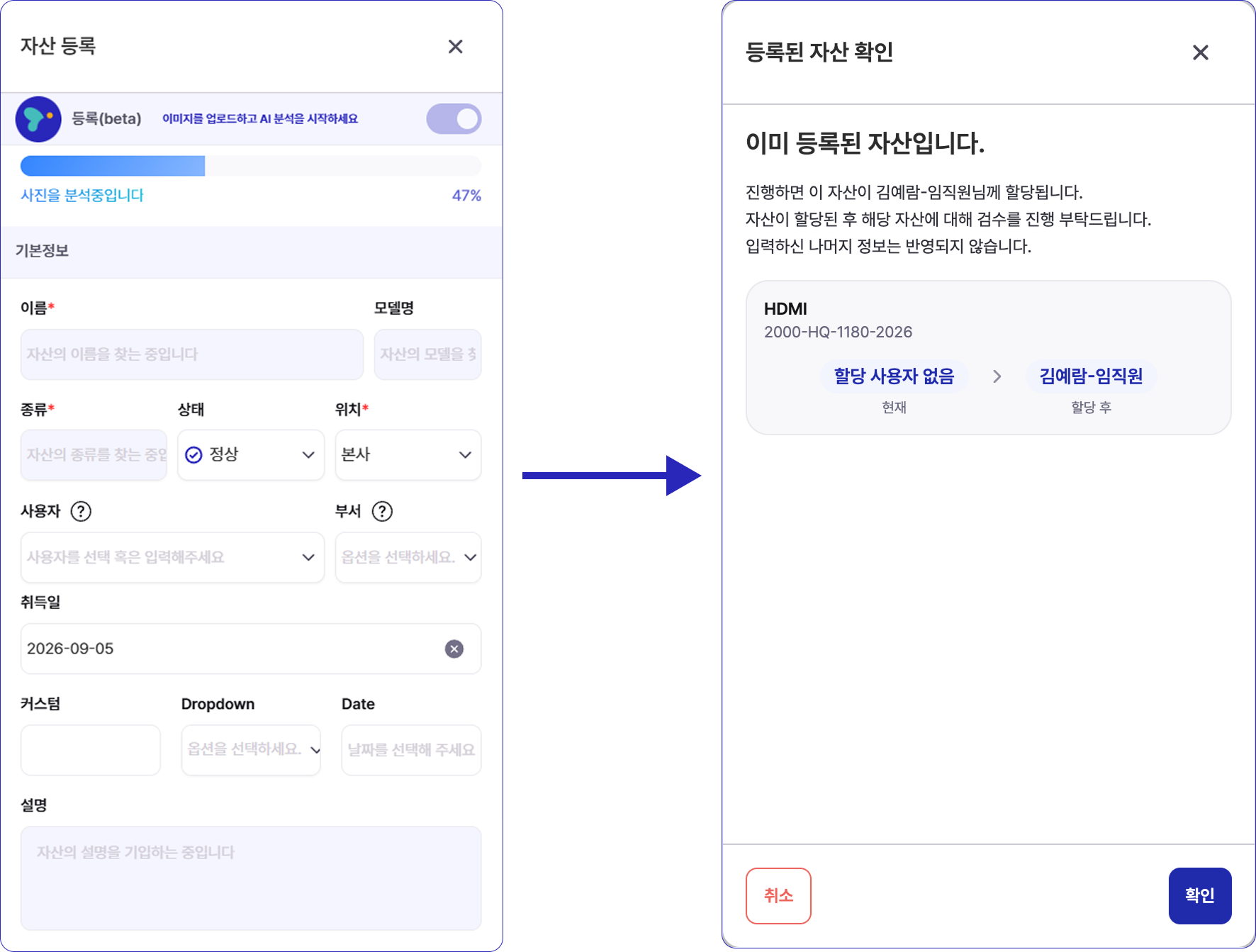
The core of this update is cutting the registration step itself. When an employee photographs an asset through AI Asset Registration during the audit, SELLEASE automatically checks whether that serial number (S/N) already exists.
No more digging through spreadsheets just to say "I'm the one using this."
3. 📊 A Dedicated Dashboard for Real-Time Progress
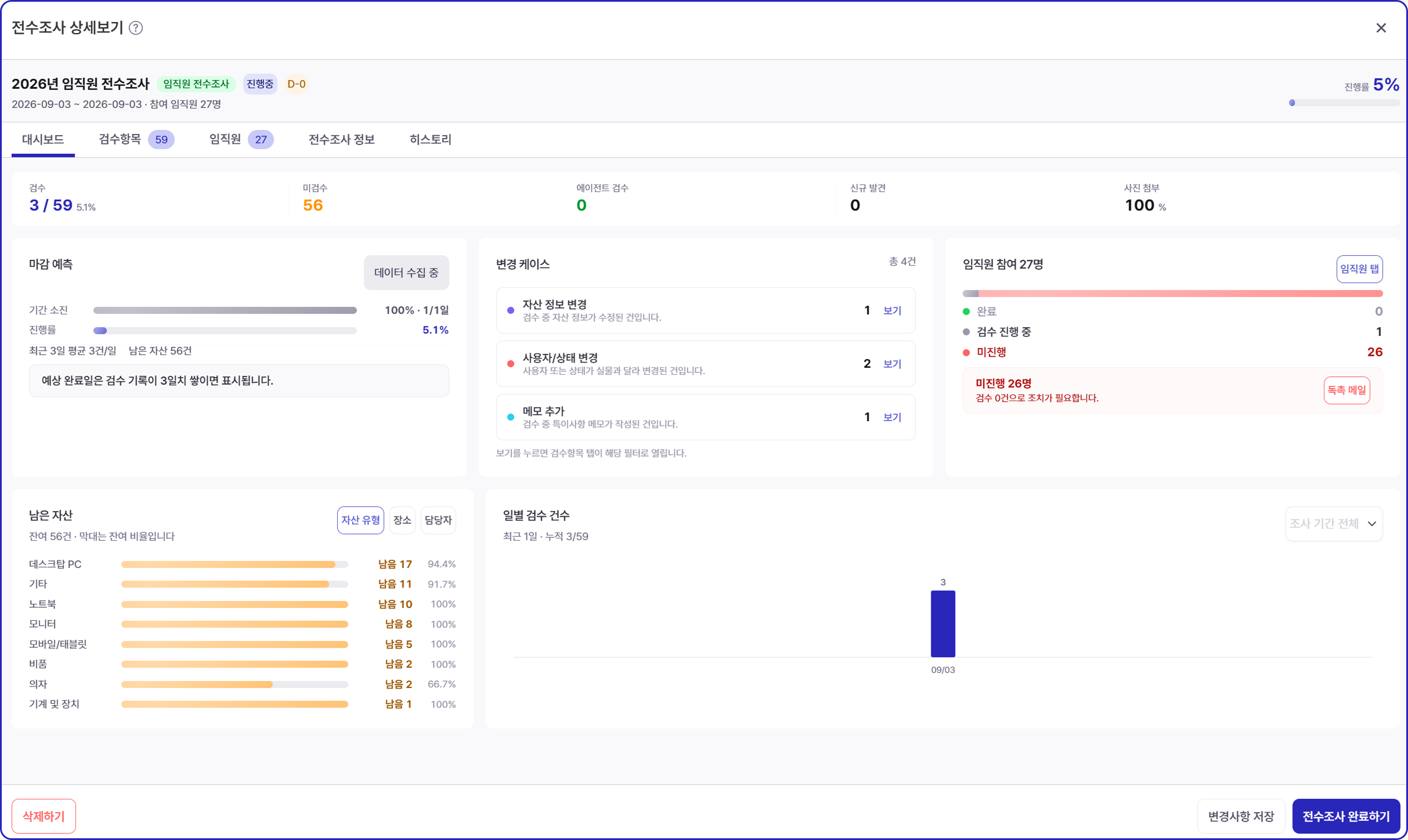
Once an audit is launched, the question every manager asks is "how far along are we?" SELLEASE's dedicated audit dashboard shows, in real time:
"Admin Audit" and "Employee Audit" views are split apart, so you can see exactly which team is behind. Reports export with a single click, ready to hand straight to auditors.
4. 📍 One QR Scan, and the Location Logs Itself
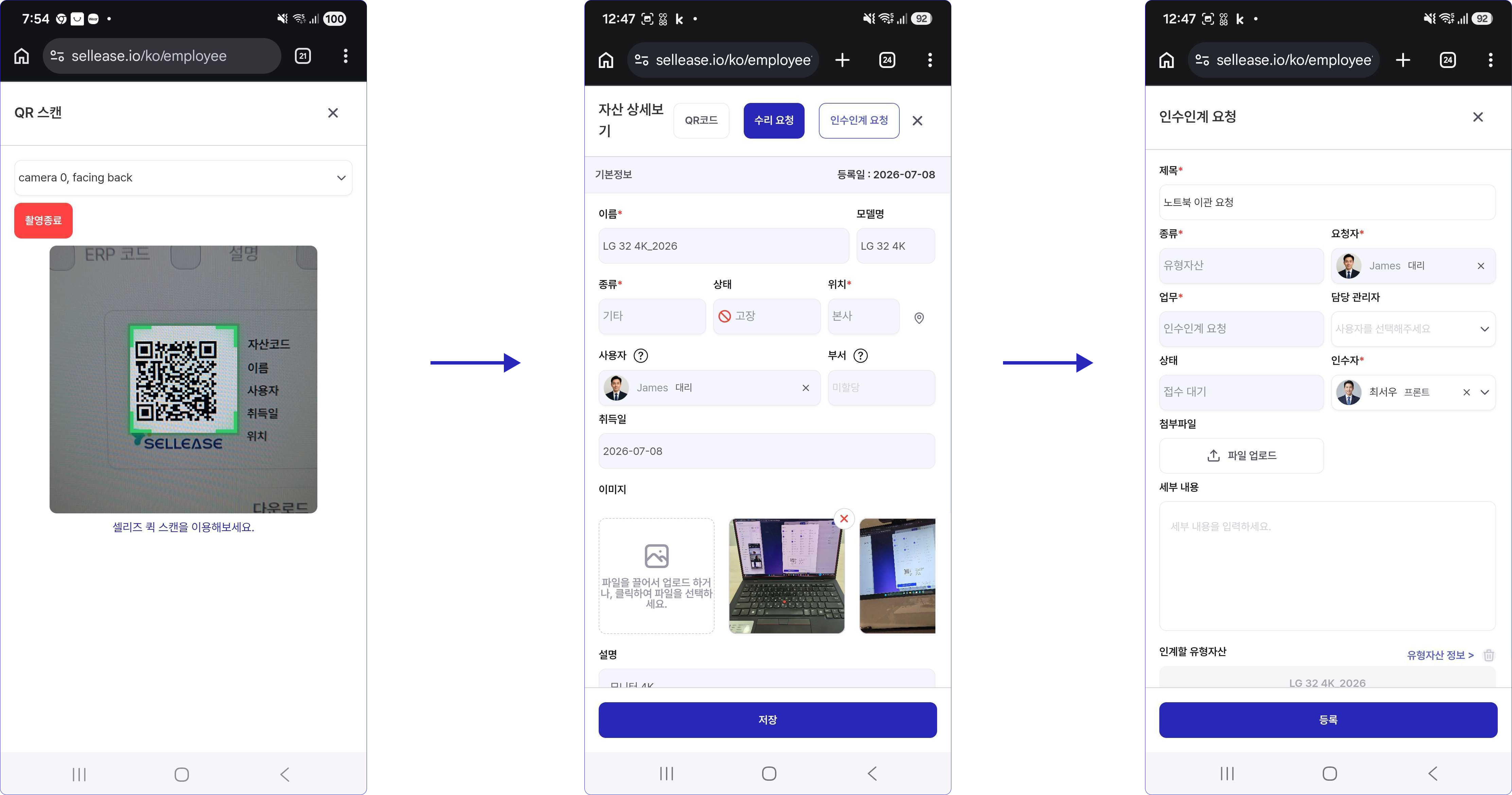
SELLEASE's QR + GPS field-check is the feature that pairs best with physical inventory. The moment an employee or auditor scans an asset's QR code, the smartphone's GPS location is written straight into the activity log.
Every sweep becomes living location data for the next audit.
5. 🔄 A Change of Owner, Handled in One Hand-Over
Another audit-season constant: "wait, whose asset was this originally?" The new fixed-asset hand-over process solves this structurally.
For organizations with frequent departures, moves, and reassignments, this alone removes most of the "orphaned assets" that surface right before an audit.
6. 📧 Notifications and Guides, Sent Automatically
Part of why audits slip is that someone has to keep chasing "who still needs to finish this." SELLEASE automates that too.
7. ✨ Before / After
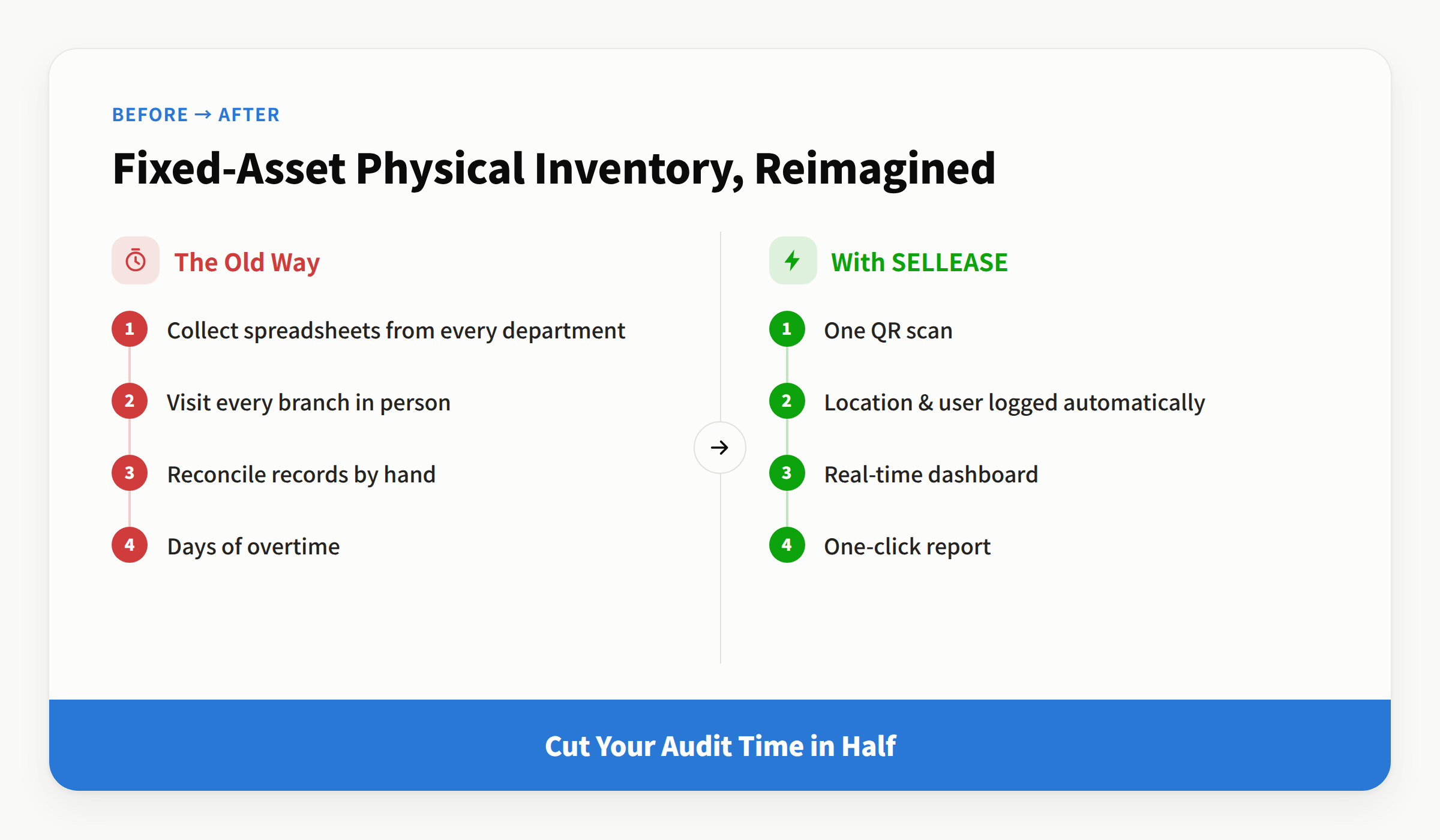
Physical inventory stops being labor that ransacks the whole building — it becomes a simple confirmation of data you already have.
🌱 Start This Season's Audit with SELLEASE
The more sites and assets you manage, the bigger the payoff. SELLEASE scales from a plan built for small teams, to a Business plan with depreciation and reminders, to an Enterprise plan with unlimited assets and full security controls.
Turn this year's physical inventory from a hunt into a glance.

