
Today, one of the largest portions of a company's IT budget is undoubtedly 'hardware equipment purchases.' With the popularization of AI technology and the rise in advanced technical research and development tasks, employees are demanding higher-spec PCs and workstations than ever before.
Team Leader, we need a workstation with a high-end GPU for the new AI project. The quote is around 5,000$
If you are a practitioner in an IT support or general affairs team, you likely fall into a deep dilemma whenever you receive such a request. You can't just say no when they say it's essential for productivity, but blindly approving expensive equipment instantly drains your limited IT budget. What's even more frustrating is the lack of clear data to answer the question: "Are the multi-million KRW high-spec PCs we already distributed actually being used properly?" 🤔
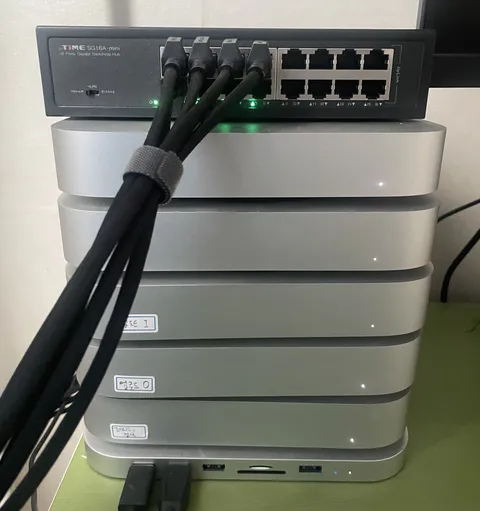
In reality, the reckless introduction and neglect of IT assets directly lead to massive global financial waste and environmental problems. According to a UN report, the global electronic waste generated in 2022 reached approximately 62 million tons.
To put that into perspective, it’s the equivalent weight of every single person on Earth throwing 3 to 4 perfectly good laptops straight into the trash every year. What’s worse is that the recycling rate for this e-waste is a mere 22%. Because of this, the value of raw materials just thrown away amounts to about $91 billion annually. It's the equivalent of sending 91 million top-tier laptops (worth $1,000 each) straight to the landfill without ever turning them on—an astronomical amount of money vanishing into thin air.
Beyond the simple financial waste, there is a severe environmental impact. Toxic substances generated by discarded IT devices accelerate climate change. Conversely, if we properly track and recycle (extend the lifespan of) idle assets, we can achieve a carbon reduction effect equivalent to wiping out the exhaust fumes of tens of millions of cars on the road for an entire year.
If IT asset management in the past was merely an 'inventory management' process of recording serial numbers and assignees in an Excel sheet, it now has to change completely. It must evolve into 'Performance-based Asset Optimization', where you monitor whether the distributed equipment is delivering optimal performance and redistribute wasted resources.
Maximizing the lifespan of dormant assets within the company to prevent unnecessary new equipment purchases—this is the most certain and practical 'Sustainability (ESG) Strategy' that protects your company's massive IT budget while simultaneously reducing the e-waste and carbon footprint that harms our planet.

1. The Paradox of High-Spec Equipment Purchases and the Ugly Truth of Waste in the AI Era 💸 Recently, every company has been crying out for business innovation through AI. To run this, a high-performance hardware infrastructure is inevitably required. However, true innovation does not come from unconditionally purchasing the latest equipment.
When you look into the actual state of corporate asset management, you face some shocking metrics. About 15% of the PCs distributed to employees are left completely unused. Even more serious is that even when the PCs are turned on, they are often in an 'over-spec' state—utilizing less than half of their capacity for simple web browsing or Excel work.
Without a data-driven management system, there is absolutely no basis to judge whether a business unit's request for a high-spec PC is an over-investment or an essential innovation. In the midst of a global economic downturn, a company's survival strategy shouldn't be blindly increasing new assets, but maximizing the efficiency of existing ones to cut operational costs. 💡
2. Facts Proven by Numbers: Checking Our Company's PC Performance via Dashboard 📊 SELLEASE provides a 'PC Usage and Performance Tracking' feature. Let's look at an actual user dashboard built on data collected by our agent.
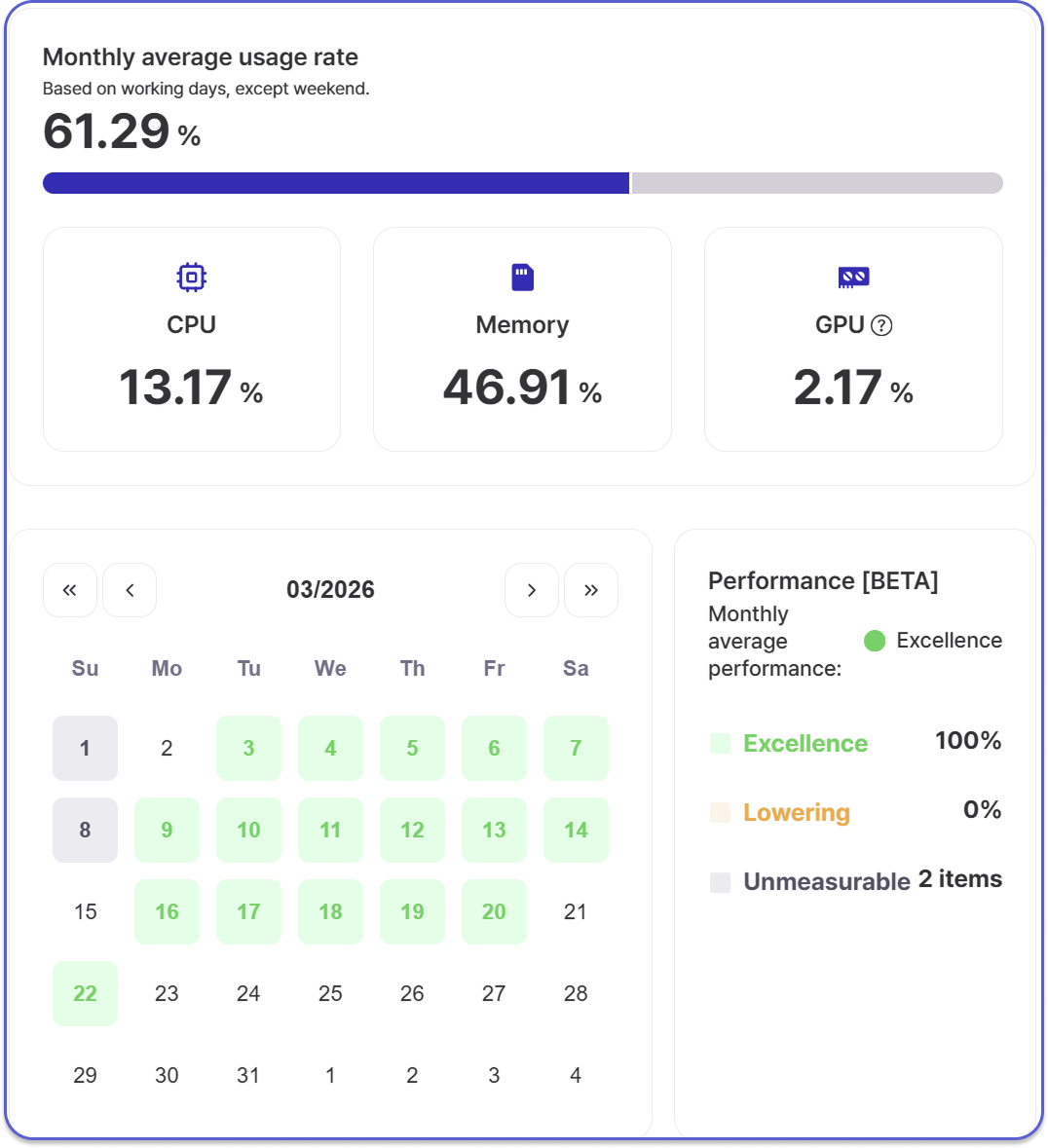
The dashboard above starkly reveals the monthly PC usage status of a specific employee (or department). On average, this employee had their PC on and was working for 61.29% of their working days. However, what we really need to focus on are the performance indicators (CPU, Memory, GPU) at the bottom.
What if this PC was a high-spec workstation worth millions, provisioned under the pretext of video editing or AI model training? Over 90% of its performance is quite literally being thrown away. The data perfectly proves that this employee's work pattern could easily be covered by a light, standard office laptop. 📉
Furthermore, looking at the performance indicator on the bottom right, the PC is maintained in a 100% 'Excellent' state, showing absolutely zero performance degradation (0%). Because the equipment hasn't aged or slowed down, even if the employee requests a replacement, there is no need to replace it right now.
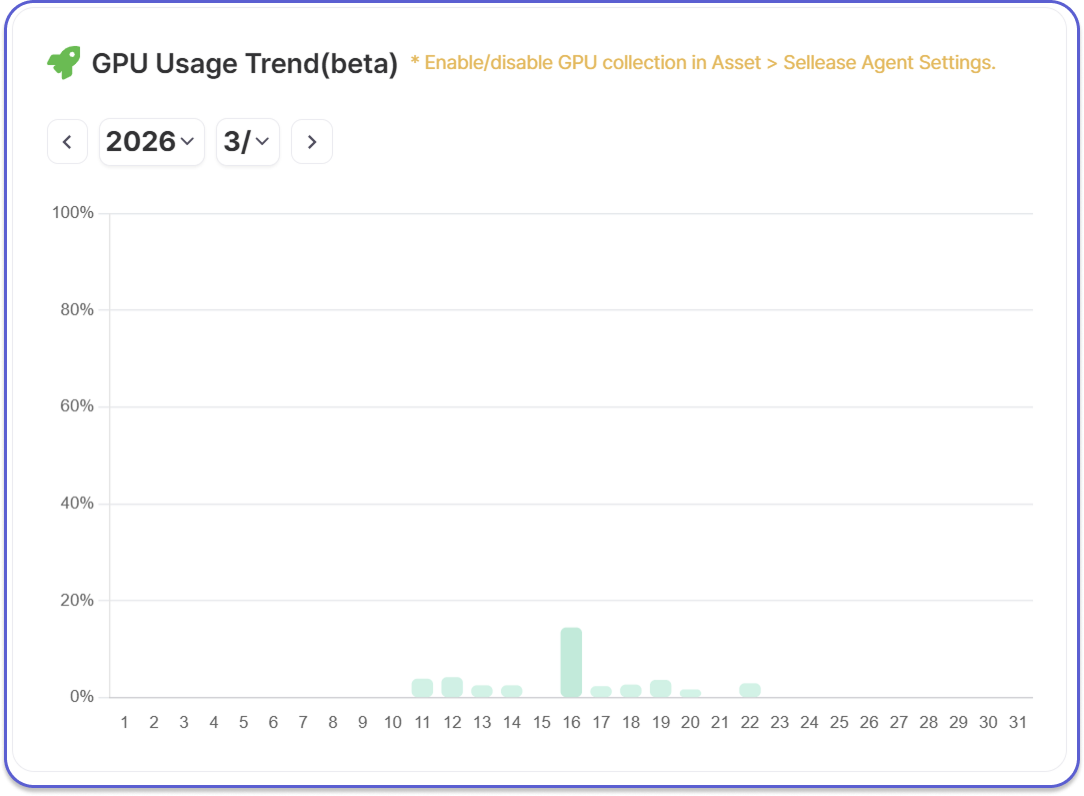
3. GPU Usage Tracking Update: Blocking Waste at the Source in the AI Era 🛡️ In line with the explosive increase in demand for in-house high-spec GPUs (graphics cards) due to the advancement of generative AI and deep learning technologies, SELLEASE introduced a new agent-based GPU usage tracking feature in its March 2026 update.
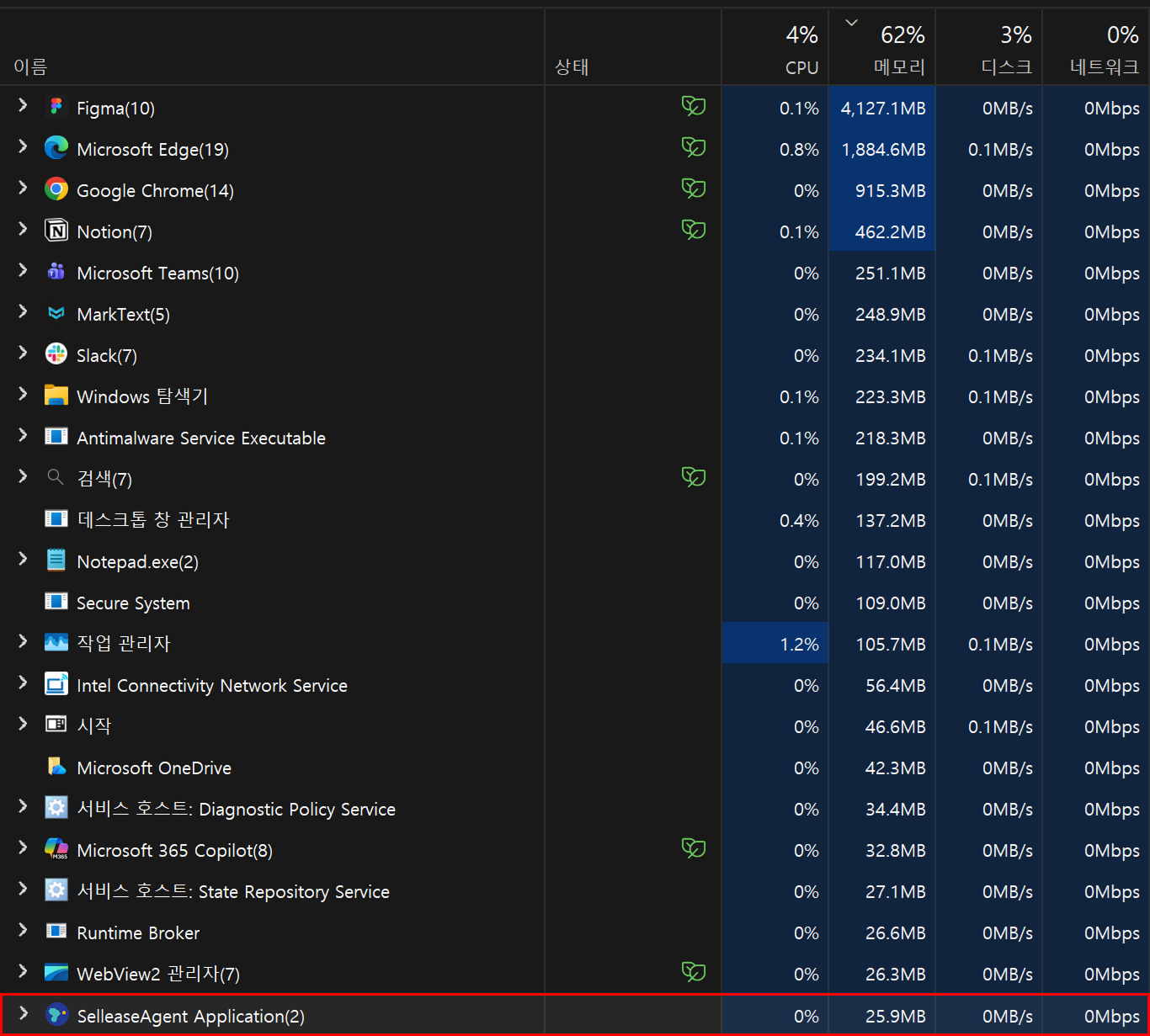
Evolving a step further from tracking just CPU and Memory, the SELLEASE agent now accurately catches exactly how actively the GPU inside the PC is participating in computations.
✨ Powerful Features of SELLEASE's Hardware Performance Tracking:
4. Data Transforms Organizations: Real ROI and Cost Optimization Case Study 🤝 Securing this level of Asset Visibility with SELLEASE is not simply about 'surveillance.' It becomes the most powerful weapon for a company's Cost Optimization and Proactive IT Support. Our clients are already experiencing remarkable changes through this feature.
*"A developer requested an AI development PC worth tens of millions of KRW. In the past, I would have drafted the approval document without a second thought, but using the SELLEASE dashboard, I first checked the PC resource usage of existing team members. As a result, I immediately found a high-spec PC that was practically sitting idle after a project ended. By redistributing it to the new developer, we were able to save a massive hardware purchasing budget."*
Instead of unconditionally buying new equipment when needed, finding 'over-spec' assets dormant within the company and circulating them to the right places—this is the core of true IT asset lifecycle management that is absolutely impossible with Excel ledgers, and only possible with SELLEASE. ♻️
5. The Beginning of Proactive IT Operations: Replace It Before They Ask 🛠️ Hardware performance tracking plays a decisive role not only in cost reduction but also in increasing employees' work satisfaction.
Traditional IT support was a reactive process, where action was taken only after an employee complained, "My PC is too slow to work!" and submitted a trouble ticket. However, utilizing the SELLEASE dashboard, admins can proactively detect in real-time when a RAM/GPU change history occurs or performance degradation happens on a specific employee's PC.
If CPU and Memory usage constantly soar over 90%, it means the employee's workload has exceeded the equipment's limits. What if the IT department proactively upgraded the RAM or swapped the equipment for a higher model before the employee even complained? This will be the decisive moment when the IT department goes beyond being a simple 'support desk' to being recognized as a 'strategic partner' that maximizes employee productivity. 🚀
6. Epilogue: Manage with Data, Not Feelings 🌍 IT asset management is no longer just an annoying administrative task for the IT department. It is a core agenda for executives to prevent budget waste, increase employee productivity, and establish a corporate survival strategy.
Are those expensive developer PCs in your company really being fully utilized?Do you have high-spec workstations just gathering dust after being purchased?
Go beyond simply knowing "who has what," and perfectly prove "how well that equipment is actually being used." SELLEASE makes all your company's assets and risks transparent instantly, within just 1 minute of installation.
Smart management without waste, the beginning of perfect data-driven ITAM (IT Asset Management). With SELLEASE, you can make it a reality right now. ✨

